Platon Sudoku · Sudoku Study
Hidden Pair · Step-by-step example Within one row, column, or box, two digits can appear only in the same two cells. Keep those two digits in the paired cells and remove any other candidates from them.
This course is adapted from Platon Sudoku App. Read the complete example here, then continue learning and practising in the app.
View on Google Play ↗ Step-by-step example Recognize the pattern Within one row, column, or box, two digits can appear only in the same two cells.
How to find it Scan a region one digit at a time. Find two digits whose possible cells are exactly the same pair.
What it allows Keep those two digits in the paired cells and remove any other candidates from them.
Avoid the mix-up The paired cells may have extra candidates before elimination. A naked pair starts with cells containing only the two digits.
Step-by-step example · Row This example starts from a saved intermediate position. Its candidates include earlier logical eliminations; they are not fresh automatic notes.
Blue: evidence. Green: conclusion. Crossed-out digits: eliminated candidates. R1C1 means row 1, column 1.
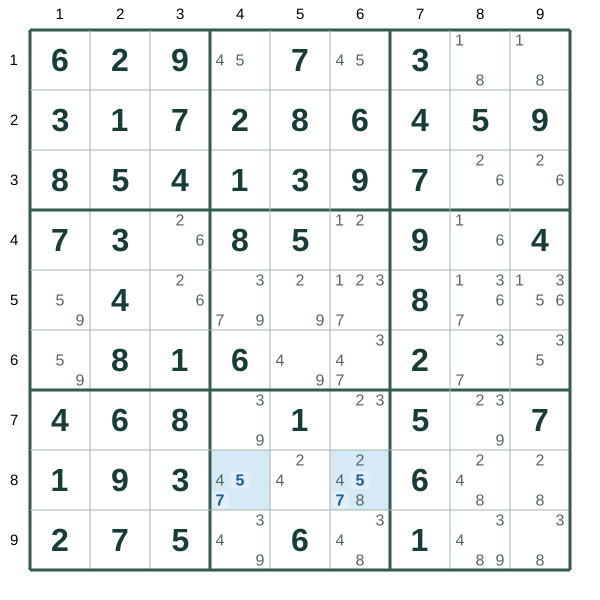
Step 1 · Focus on the two cells Start with the two highlighted cells. Both contain candidates 5 and 7.
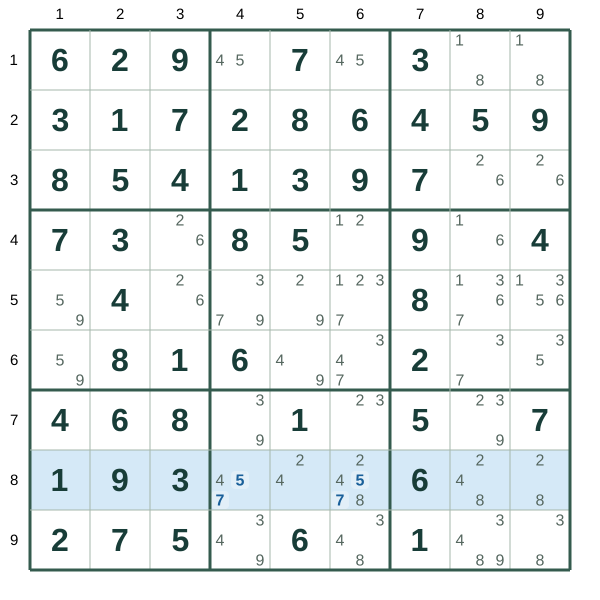
Start with the two highlighted cells. Both contain candidates 5 and 7. Step 2 · Confirm the hidden pair In row 8, 5 and 7 appear only in these two highlighted cells. They must occupy one cell each, so these cells cannot contain other digits.
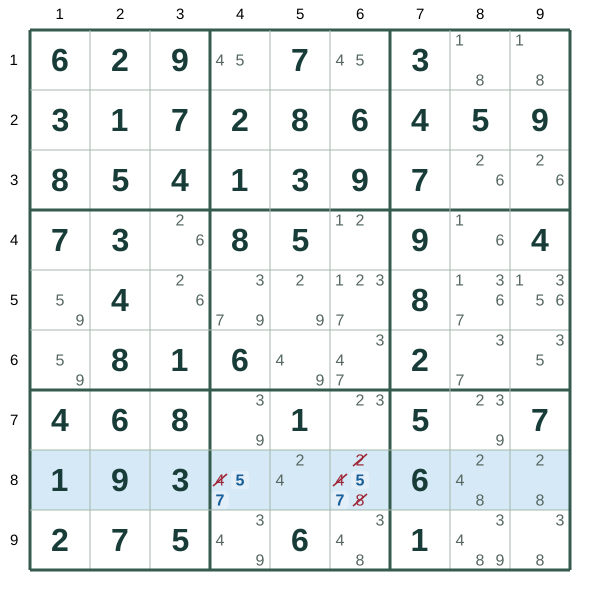
In row 8, 5 and 7 appear only in these two highlighted cells. They must occupy one cell each, so these cells cannot contain other digits. Step 3 · Remove the other candidates Remove the marked 2, 4, 8 candidates from these two cells.
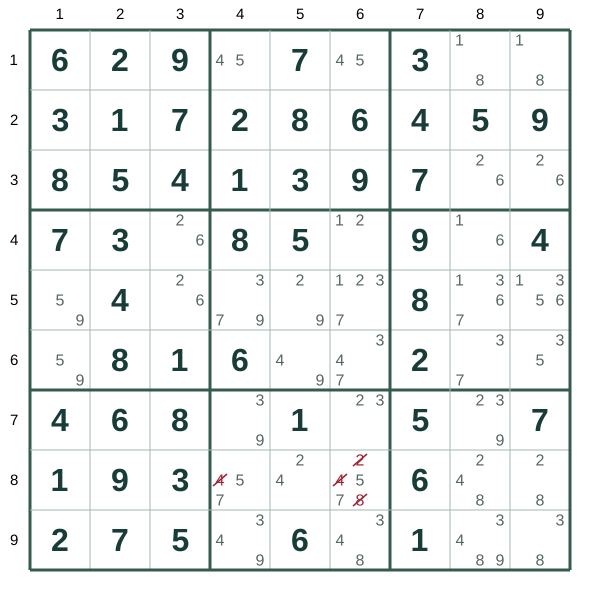
Remove the marked 2, 4, 8 candidates from these two cells. R8C4=4, R8C6=2, R8C6=4, R8C6=8 What it allows Remove the marked 2, 4, 8 candidates from these two cells.
Hidden Pair · Keep those two digits in the paired cells and remove any other candidates from them. Step-by-step example · Column This example starts from a saved intermediate position. Its candidates include earlier logical eliminations; they are not fresh automatic notes.
Blue: evidence. Green: conclusion. Crossed-out digits: eliminated candidates. R1C1 means row 1, column 1.
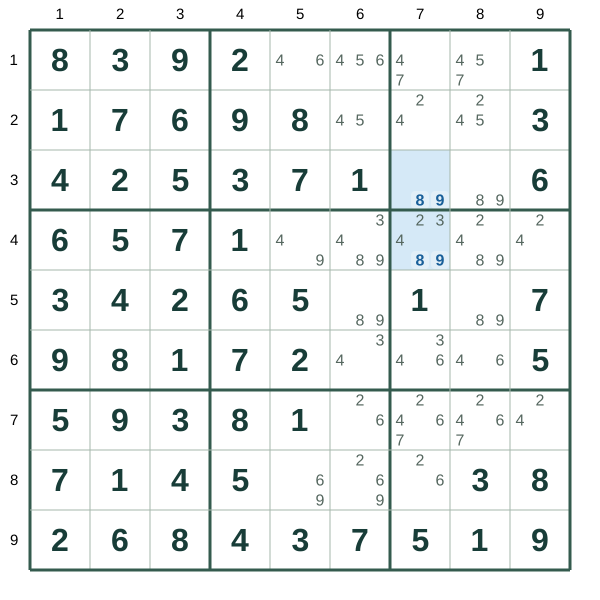
Step 1 · Focus on the two cells Start with the two highlighted cells. Both contain candidates 8 and 9.
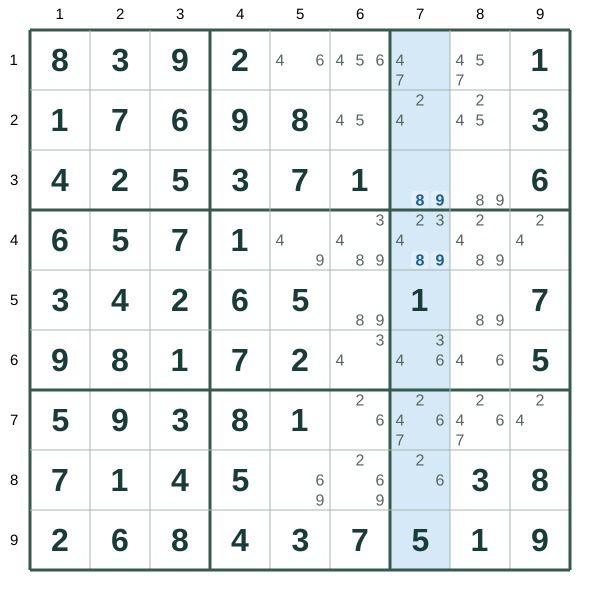
Start with the two highlighted cells. Both contain candidates 8 and 9. Step 2 · Confirm the hidden pair In column 7, 8 and 9 appear only in these two highlighted cells. They must occupy one cell each, so these cells cannot contain other digits.
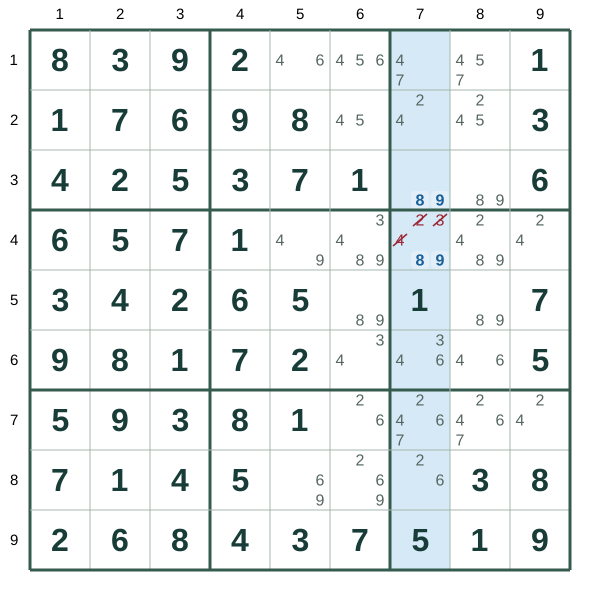
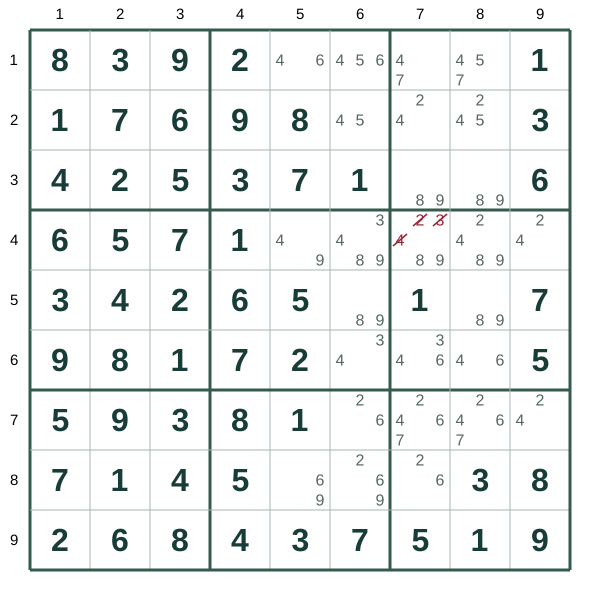
In column 7, 8 and 9 appear only in these two highlighted cells. They must occupy one cell each, so these cells cannot contain other digits. Step 3 · Remove the other candidates Remove the marked 2, 3, 4 candidates from these two cells.
Remove the marked 2, 3, 4 candidates from these two cells. R4C7=2, R4C7=3, R4C7=4 What it allows Remove the marked 2, 3, 4 candidates from these two cells.
Hidden Pair · Keep those two digits in the paired cells and remove any other candidates from them. Step-by-step example · Box This example starts from a saved intermediate position. Its candidates include earlier logical eliminations; they are not fresh automatic notes.
Blue: evidence. Green: conclusion. Crossed-out digits: eliminated candidates. R1C1 means row 1, column 1.
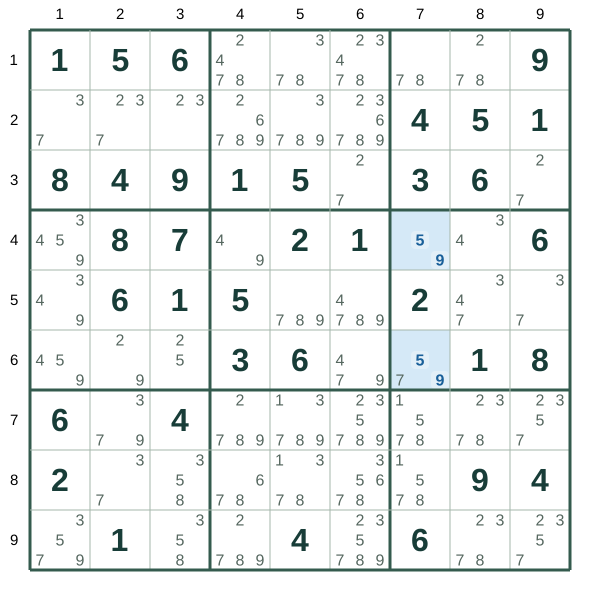
Step 1 · Focus on the two cells Start with the two highlighted cells. Both contain candidates 5 and 9.
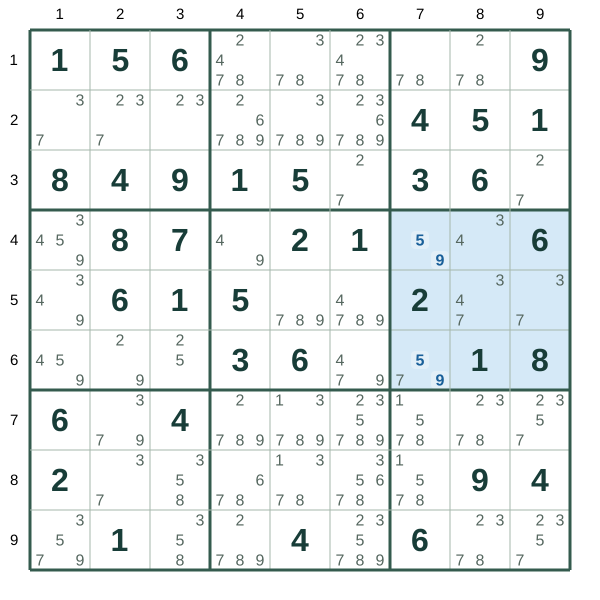
Start with the two highlighted cells. Both contain candidates 5 and 9. Step 2 · Confirm the hidden pair In box 6, 5 and 9 appear only in these two highlighted cells. They must occupy one cell each, so these cells cannot contain other digits.
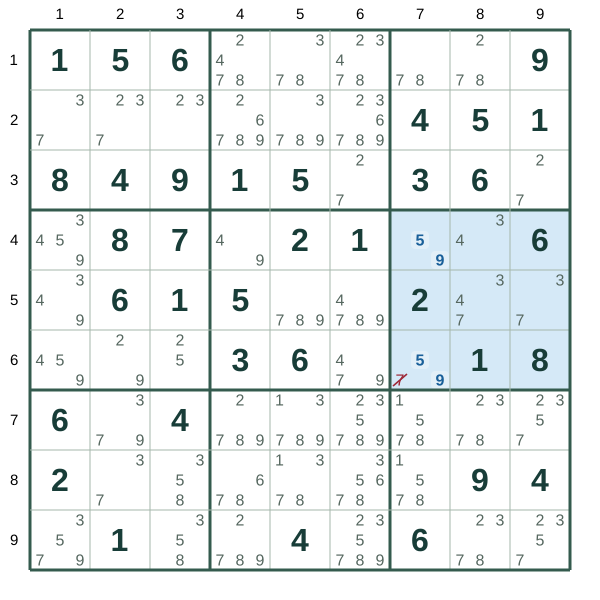
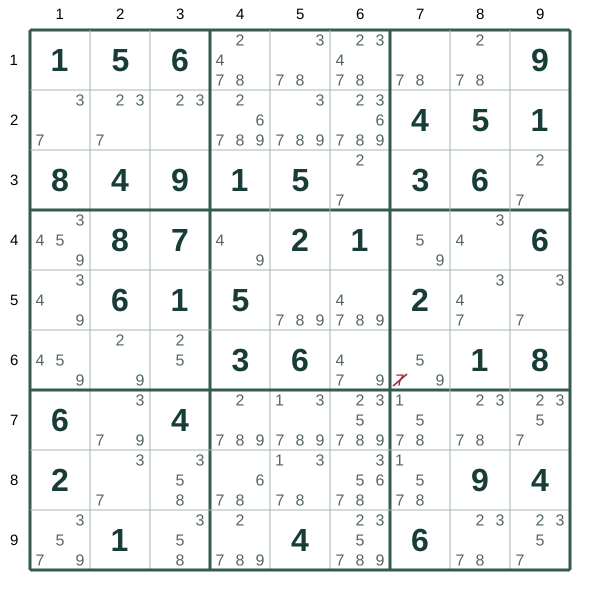
In box 6, 5 and 9 appear only in these two highlighted cells. They must occupy one cell each, so these cells cannot contain other digits. Step 3 · Remove the other candidates Remove the marked 7 candidates from these two cells.
Remove the marked 7 candidates from these two cells. R6C7=7 What it allows Remove the marked 7 candidates from these two cells.
Hidden Pair · Keep those two digits in the paired cells and remove any other candidates from them. Practice This course is adapted from Platon Sudoku App. Read the complete example here, then continue learning and practising in the app.
View on Google Play ↗